Viewport Clipping Solved. Finally.

Fix Blender Viewport Clipping, Zoom & Clip Start Issues in One Click

Auto Frame Pro solves viewport clipping, zoom stops, and view selected problems for small objects, 3D printing, jewelry modeling, and real-world scale projects in Blender.

All supported software

Complete
Multi-Platform
Suite

One powerful tool, now available across all 10 major 3D platforms. "Buy the full bundle and save 40% - lifetime access to every port. All 10 Ports Included - 40% Off Bundle Price - Join 10,000+ Engineers
Globe

All 10 Ports Included - 40% Off Bundle Price - Join 10,000+ Engineers
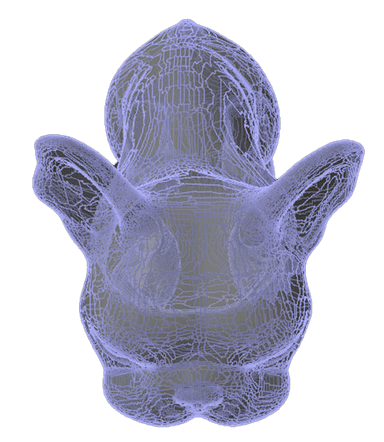
Dog mascot
Blender

AUTO FRAME PRO

  • 3 Smart Framing Methods
  • Auto Near Clip Fix for Tiny Objects
  • Presets: Tiny / Architecture / Default
  • One-Click Revert & Detailed Log

"OMG the pain is over!! Saved me hours, days.."

$12One-Time

Lifetime Updates - Instant Download - 100% Satisfaction

3DS MAX

AUTO FRAME PRO

  • 3 Smart Framing Methods
  • Auto Near Clip Fix for Tiny Objects
  • Presets: Tiny / Architecture / Default
  • One-Click Revert & Detailed Log

"...This shaved hours off my workflow... I very much dislike "dumb work" -ty

$12One-Time

Lifetime Updates - Instant Download - 100% Satisfaction

Maya

AUTO FRAME PRO

  • 3 Smart Framing Methods
  • Auto Near Clip Fix for Tiny Objects
  • Presets: Tiny / Architecture / Default
  • One-Click Revert & Detailed Log

"This is a blessing... no more wasting time trying to simply view my design"

$12One-Time

Lifetime Updates - Instant Download - 100% Satisfaction

Choose the Perfect Plan for Your
Productivity Journey

We believe in being flexible and scalable to bring value to our partners. Select the plan that best fits your engagement needs

Individual

One-Time Access to the Power Tool You Need - Instant Download

$24One-Time
  • One-time purchase - no subscriptions ever
  • Instant download & lifetime access
  • Free lifetime updates - bug fixes, future versions
  • Works on current & future versions
  • 100% satisfaction - refund within 30 days

Bundle

Unlock Every Port - Lifetime Ownership. One Price - Instant Download

$99One-Time*Save 60%
  • Get all 10 ports (Blender, Maya, 3ds Max, Houdini, Cinema 4D, Fusion 360, SolidWorks, CATIA, Rhino, ZBrush)
  • Lifetime updates across all ports
  • Instant access to every platform
  • Massive Savings
  • Perfect for multi-software workflows & studios
  • Same 30-day refund guarantee

Partner with us

Blow us up with a discount code and we will share 50% on every sale

Say Hi!
LET'S GO!
  • Earn 50% commission on every sale made with your discount code
  • Lock in a recurring revenue stream
  • Generate your unique affiliate code instantly (no approval needed!)
  • Receive monthly payouts (PayPal, or crypto)
  • Join in seconds - become an AFP partner today

Built for Engineers, Not Marketing

Auto Frame Pro was designed by technical artists who got tired of fighting their tools. Every decision prioritizes reliability, predictability, and respect for your workflow over flashy features you'll never use.

No Destructive Changes

Auto Frame Pro never modifies your scene geometry, materials, or hierarchy. It only adjusts viewport camera settings, changes you can manually undo at any time. Your work stays exactly as you built it. No hidden modifications, no surprise changes to your carefully organized scene structure.

Predictable Behavior

The math is straightforward: calculate bounds, set safe distance, adjust clip planes. No hidden heuristics or "magic" algorithms that work sometimes and fail mysteriously other times. You can predict what it will do before you click the button, which means you stay in control of your workspace.

Tiny to Massive Scenes

Works identically whether you're modeling a 2mm watch component or a 500-meter building complex. Automatically adapts to your scene scale without manual mode switching or configuration files. The same tool handles jewelry design and architectural visualization without you changing a single setting.

Auto Frame Pro viewport controls

Frequently Asked Questions

Everything you need to know about Auto Frame Pro and how it solves viewport clipping, zoom issues, and clip start/end problems in Blender.

Viewport clipping occurs when Blender's camera cuts off (clips) parts of your 3D model, making them invisible or causing strange visual artifacts. This typically happens when working with very small objects (like jewelry, mechanical parts, or 3D printing models) because Blender's default clip start/end values aren't optimized for millimeter-scale work. Auto Frame Pro automatically adjusts these settings to eliminate clipping issues.

Dog mascot

Accelerate and Innovate your Workflow

Viewport clipping / perspective issues plague 3D users. Hours / days saved in workflow = more time for God and our Holy Creator who made us, that we may honor Him in all ways. We wish beautiful blessings upon all of you most precious souls walking this amazing journey together.